NOL Card Recharge Online
NOL Card Recharge is fast and convenient, giving you multiple official ways to add balance whenever you need it. You can top up your card through the NOL Pay app, the RTA website, metro station ticket machines, or other approved channels available across Dubai. In this guide, you’ll learn the step-by-step recharge process, supported payment options, activation time, and useful tips to keep your card ready for every journey.
Recharge Your NOL Card
Select an amount, enter your Tag ID, and top up instantly via RTA
Preparing secure top-up connection...
10 seconds
What is NOL Card Recharge?
NOL Card Recharge is the process of adding balance to your card so you can continue using Dubai’s public transport and other RTA services without interruption. Whether you travel by Dubai Metro, public buses, trams, water buses, or use RTA parking facilities, keeping your card topped up ensures a smooth journey. To begin any trip, your NOL card must have a minimum balance of AED 7.50. Anonymous cards can store up to AED 1,000, while personalized NOL cards support a maximum balance of AED 5,000.
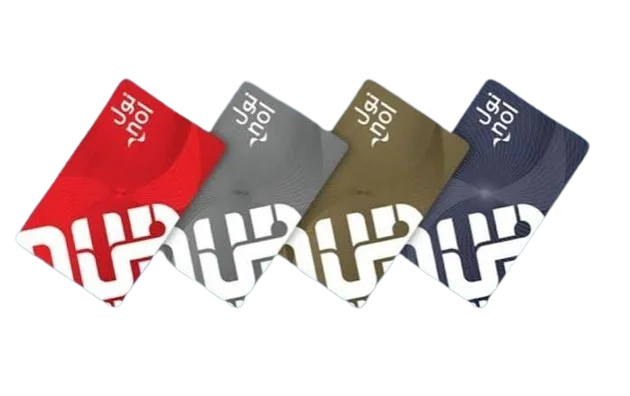
You can complete your NOL Card Recharge using several official methods, including the RTA website, NOL Pay app, metro station ticket machines, and cash top-up locations across Dubai. These recharge options support most NOL card types, such as Silver, Gold, and Blue cards. However, the Red Ticket is designed for limited travel and has different recharge rules than standard NOL cards.
How Much Time Does NOL Card Recharge Take?
Online top-ups don’t appear on your card immediately. After paying via the RTA website, NolPay app, Mahboob chatbot, or DubaiPay, it may take between 45 minutes and 4 hours for your new balance to appear. The balance remains “pending” in the system until your card is physically synchronized. To activate it instantly, tap your Nol Pay card at any of the following points after topping it up:
- Metro station entrance gate (fastest option)
- Bus ticket validator on any RTA bus
- RTA parking ticket vending machine
- Solar top-up machine at bus stops
- NolPay app (tap your physical card on the NFC chip)
Top-ups made at ticket vending machines in metro stations or at staffed ticket counters are activated instantly, without waiting.If your balance doesn’t appear after 4 hours, tap your card at the metro entrance gate before contacting RTA Customer Service on 8009090.
How to Recharge NOL Card ?
The Roads and Transport Authority (RTA) in the UAE offers several official top-up options to suit all travelers’ needs. Let’s explore each method in detail.
Top-up online via the RTA website (rta.ae)
The RTA’s official website is one of the most reliable ways to top up your Nol card.
- Visit rta.ae
- Enter your 10-digit Nol card identification number (found on the back of the card)
- Choose your top-up amount: AED 30, 40, 50, 100, or AED 150
- Pay securely via Dubai Pay using your debit or credit card.
Recharge Using RTA Dubai App
You can also top up your balance directly from your phone using the Dubai Roads and Transport Authority (RTA) app, available for iOS and Android devices.
Steps:
- Open the app and log in using your Emirates ID or RTA account.
- Tap “Public Transport Users” → “Top Up Nol Card.”
- Enter your card number and the top-up amount.
- Pay using your debit/credit card or Apple Pay/Samsung Pay.
The recharge process takes between 45 minutes and 4 hours, but it can be activated instantly by simply bringing the device near any door in a metro station.


Recharge Using NOL Pay App
The NOL Pay app instantly allows you to top up your NOL card using NFC technology.
Here’s how to use it:
- Download the NOL Pay app from the App Store or Google Play.
- Place your NOL card against the back of your smartphone (with NFC enabled).
- Select “Top up your NOL card,” enter the amount, and pay using Dubai Pay.
Recharge Your NOL Card at Metro Station Ticket Machines
Ticket vending machines are installed at all Dubai Metro stations, making them one of the fastest ways to complete a NOL Card Recharge. Simply follow these steps:
- Insert your NOL card into the ticket machine.
- Select the Recharge or Top Up option.
- Choose the amount you want to add.
- Complete the payment using cash or a debit/credit card (where available).
- Once the payment is successful, your new balance is usually available immediately.
This method is ideal for both tourists and daily commuters who prefer an instant offline NOL Card Recharge before starting their journey.
Recharge Your NOL Card at Authorized Retailers
- You can also complete a NOL Card Recharge at hundreds of authorized retail stores located across Dubai.
- Many supermarkets, convenience stores, and fuel stations provide quick top-up services, making it easy to add balance while you’re out.
- Popular locations include Carrefour, Lulu Hypermarket, Aswaaq, Zoom, Circle K, ENOC, and EPPCO service stations.
- In most cases, the recharge is processed instantly, allowing you to continue your journey without waiting.
- This option is especially convenient if you’re shopping, commuting, or stopping at a nearby fuel station and need a fast NOL card top-up.
Recharge Your NOL Card Through UAE Bank Mobile Apps
Several UAE banks allow customers to complete a NOL Card Recharge directly through their mobile banking apps. This is a convenient option if you prefer managing your payments online.
- Recharge your NOL card without visiting a metro station.
- Available through selected UAE banking apps.
- Some banks offer Auto Top-Up when your balance reaches a set limit.
- You can also recharge your card manually whenever needed.
- Processing time may take up to 4 hours, depending on your bank.
- Check your bank’s supported payment methods and recharge limits before making a transaction.
Recharge Your NOL Card Using Salik or Linked Services
You can also complete a NOL Card Recharge through supported transport and digital payment services linked to your account.
- Recharge your card using supported Salik or digital wallet services.
- Manage multiple RTA services from a single linked account.
- Ideal for frequent Dubai Metro and public transport users.
- Recharge availability depends on the connected service provider.
- Processing time may vary based on the selected platform.
Trusted Information, official Sources
We provide information from official trusted source only!


NOL Card Recharge Using Credit or Debit Card
Using a credit or debit card is one of the easiest ways to complete a NOL Card Recharge. Whether you recharge online or at an RTA service point, card payments provide a quick and secure way to add balance to your NOL card.
Accepted Cards & Supported Banks
You can use the following payment methods for a NOL Card Recharge:
- Visa, Mastercard, and UnionPay cards are accepted.
- Customers of Emirates NBD, FAB, Mashreq, Dubai Islamic Bank, and RAKBANK can use eligible cards for payments.
- International credit and debit cards are also supported through the official RTA website and the NOL Pay app.
Online vs. Offline Card Payments
Choose the recharge method that works best for you:
Online Recharge
- Recharge through the official RTA website or the NOL Pay app.
- Activation may take 45 minutes to 4 hours, depending on the selected recharge method.
Offline Recharge
- Add balance using metro station ticket vending machines or authorized retail counters.
- In most cases, the updated balance is available immediately after payment.
Secure Payments & Service Charges
- Online card transactions are processed through Dubai Pay, the UAE government’s secure payment gateway.
- No additional fee is charged for a standard NOL Card Recharge.
- If a refund or cancellation request is made, a service charge of AED 2.5 to AED 5 may apply according to the applicable policy.
NOL Card Recharge Machines Near Me
NOL Card Recharge machines are available at convenient locations throughout Dubai, making it easy to top up your card whenever you need it. Whether you’re travelling by metro, tram, or bus, you’ll usually find a nearby machine ready to use.
Find a NOL Card Recharge Machine
You can quickly locate the nearest recharge machine by following these steps:
- Open Google Maps and search for “NOL Card Recharge Near Me”.
- Visit the official RTA service channels page to view nearby recharge locations.
- Use the NOL Pay app or the RTA website to find supported top-up points.
Where Are Recharge Machines Located?
Recharge machines are commonly available at:
- All Dubai Metro stations.
- Dubai Tram stations.
- Major RTA bus stations and transport hubs.
- Selected bus stops with self-service top-up facilities.
24/7 Recharge Locations
Need to recharge at any time? You can use NOL Card Recharge machines available at:
- Dubai Metro stations (open according to station operating hours).
- Selected Zoom convenience stores.
- ENOC service stations with recharge facilities.
- Other supported self-service locations across Dubai.
The minimum amount for topping up at metro ticket vending machines has increased from AED 5 to AED 20 as of March 1, 2026. Online top-ups via the RTA website or NOL Pay app will still have a minimum of AED 5, but are limited to AED 150 per transaction.
NOL Card Recharge Problems and Solutions
If your NOL Card Recharge does not complete successfully, the issue can usually be fixed in a few simple steps. Here are the most common problems and their solutions.
Payment Failed or Recharge Pending
Wait about 20 minutes and try again.
Use a different payment method if the first transaction fails.
If the recharge remains pending, contact your bank or the RTA helpline (8009090).
Machine Is Not Reading Your NOL Card
Gently clean the chip area of the card.
Insert or tap the card again in the correct position.
If the card is damaged, visit a Dubai Metro ticket office for a replacement.
Online Recharge Balance Not Showing
Tap your NOL card at a metro gate, parking machine, or another supported RTA device.
This usually updates any pending balance immediately.
If the balance still does not appear, send your transaction details to ask@rta.ae for further assistance.
Conclusion
Keeping your NOL card topped up ensures uninterrupted travel across Dubai’s public transport network. Whether you choose the NOL Pay app, the official RTA website, metro station ticket machines, or authorized retail outlets, completing a NOL Card Recharge is quick and convenient. Always use official recharge channels, maintain the required minimum balance, and activate any pending top-ups before starting your journey. If you experience any issues, RTA customer support is available to help you with recharge or account-related queries.
Common FAQs about NOL Card Recharge
You can complete a NOL Card Recharge through the official RTA website or the NOL Pay app. Enter your NOL card details, choose the recharge amount, make the payment, and activate the balance by tapping your card at a supported RTA device if required.
The minimum recharge amount depends on the method you choose. Online recharges generally start from AED 5, while some metro station ticket machines may require a higher minimum amount.
Online recharges usually take 45 minutes to 4 hours to become available. If you recharge through a metro station ticket machine or an authorized service point, the balance is typically updated instantly.
If your new balance does not appear, tap your NOL card at a metro gate, parking machine, or another supported RTA device. If the issue continues after the expected processing time, contact RTA customer support for assistance.
Yes. You can recharge your NOL card online using the official RTA website or the NOL Pay app without going to a station. However, some online recharges may require you to tap your card at an RTA device to activate the new balance.
Yes. Most online and offline recharge methods accept Visa, Mastercard, and other supported debit or credit cards, making it easy to add balance to your NOL card.
Anonymous NOL cards can hold a maximum balance of AED 1,000, while registered or personalized NOL cards can store up to AED 5,000.
Yes. Tourists can recharge their NOL cards using metro station ticket machines, authorized retail outlets, or supported online payment methods if available.
Yes. Using the official RTA website or the NOL Pay app is a secure way to complete a NOL Card Recharge. Payments are processed through protected payment systems to keep your transaction safe.
No. Red Tickets cannot be recharged online. They must be topped up at metro station ticket machines, ticket offices, or other authorized RTA service locations.