How to Check NOL Card Transaction History & Balance History (2026 Guide)
Quick Answer: If you want to check your NOL Card transaction history and balance history, you can do it online through the RTA website, the NOL Pay App, or at Metro stations. Your NOL Card history shows recent travel, fare deductions, recharge records, and balance activity, making it easy to track every journey across Dubai’s public transport network.
Table of Contents
Toggle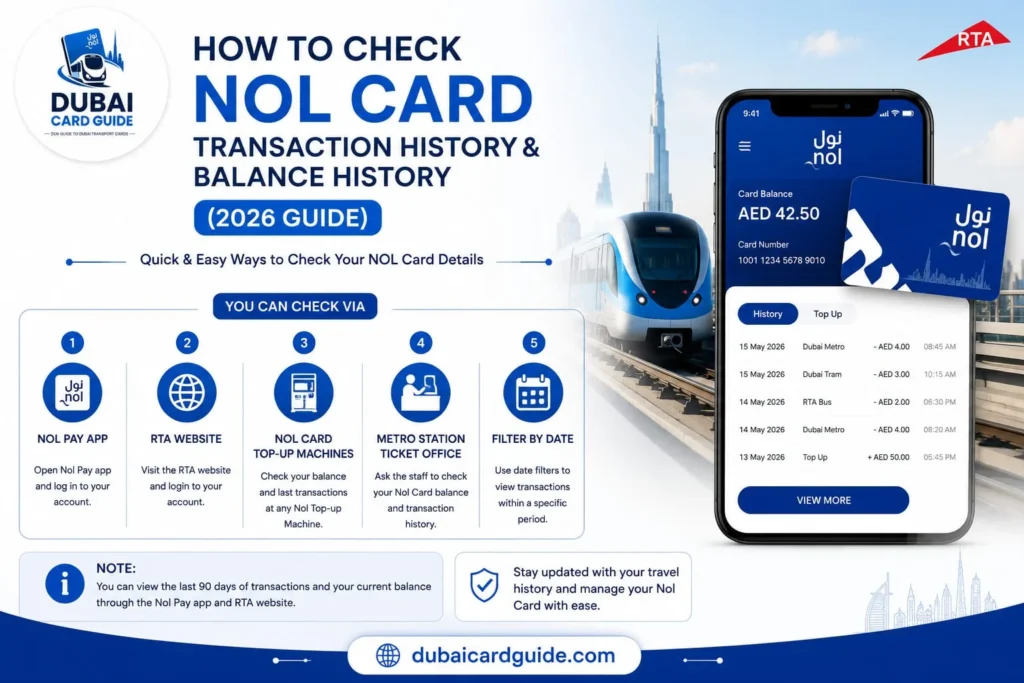
Keeping track of your NOL Card transaction history is one of the easiest ways to manage your daily travel in Dubai. Whether you use the Dubai Metro, RTA buses, Tram, or water transport, reviewing your NOL Card balance history helps you verify fare deductions, confirm successful recharges, and monitor your travel expenses. In this guide, you’ll learn how to check NOL Card transaction history and balance history using the official RTA website, NOL Pay App, and Metro station services, along with practical tips to resolve common issues and manage your card more efficiently.
What Is NOL Card Transaction History?
Your NOL Card transaction history is a complete record of all activities linked to your card, making it easier to monitor how you use Dubai’s public transport system. It includes every Metro, Bus, Tram, and Water Bus journey, along with fare deductions, recharge records, balance updates, and transaction dates. Whether you’re reviewing recent trips or confirming a successful top-up, this history helps you keep track of your travel expenses with confidence.
Many users confuse NOL Card transaction history, balance history, and travel history, but they work together. Transaction history provides a full overview of your card activity, travel history focuses on the journeys you’ve taken, while balance history shows how your available credit changes after each recharge or fare deduction.
Checking your NOL Card transaction history and balance history regularly is a smart way to verify charges, spot unexpected deductions, and ensure every recharge has been added correctly. You can access this information through the official RTA website, the NOL Pay App, or selected Metro station ticket machines, making it simple to manage your card wherever you are in Dubai.
Pro Tip: If you travel frequently on Dubai Metro or RTA buses, reviewing your transaction history every few weeks can help you monitor spending, confirm successful top-ups, and avoid unexpected balance issues before your next journey.
How to Check NOL Card Transaction History & Balance History?
You can check you transaction history by following ways:
Check via the RTA Website
The official RTA website is the quickest way to view your NOL Card transaction history, balance history, and recent travel records. Simply follow these steps:
- Visit the official RTA NOL Card Services page.
- Select Transaction History from the available services.
- Enter your NOL Tag ID (printed on the back of your card).
- Complete the verification if prompted.
- Click Next to view your transaction history.
You’ll be able to see details such as:
- Recent Metro, Bus, and Tram journeys
- Recharge and top-up history
- Fare deductions
- Transaction date and time
- Remaining card balance
Check Using the NOL Pay App
If you prefer using your phone, the NOL Pay App lets you access your card activity anytime.
Steps:
- Open the NOL Pay App and sign in.
- Link your NOL Card if it isn’t already added.
- Select your card from the dashboard.
- Tap Transaction History.
- Review your recent trips, recharges, and balance activity.
Using the app, you can quickly check:
- Travel history
- Balance history
- Recharge records
- Remaining balance
- Recent transactions
Check at Metro Stations & Customer Happiness Centers
If you don’t have internet access, you can still check your NOL Card history at any Metro station.
Here’s how:
- Visit any Metro station or Customer Happiness Center.
- Use a ticket vending machine or ask an RTA staff member for assistance.
- Tap or insert your NOL Card.
- Select Balance or Transaction History.
- View your recent transactions on the screen or request a printed receipt (where available).
This method is useful if you need to:
- Check your current balance
- View recent journeys
- Confirm a recharge
- Verify fare deductions
What Information Can You View in Your NOL Card History?
When you check your NOL Card transaction history, you’ll find a detailed record of your recent card activity. This information helps you verify payments, monitor travel expenses, and manage your card more effectively.
Your NOL Card history typically includes:
- Travel History : View your recent journeys on the Dubai Metro, RTA buses, Tram, and Water Bus.
- Recharge History : Check when your card was topped up and the amount added.
- Balance History : Track how your available balance changes after each recharge or fare deduction.
- Fare Deductions : See the exact fare charged for every completed trip.
- Transaction Date & Time : Review when each journey or recharge took place.
- Transport Mode : Identify whether you travelled by Metro, Bus, Tram, or other supported RTA services.
- Remaining Card Balance : Check the balance available after your latest transaction.
Common Problems & Solutions
If your NOL Card transaction history isn’t showing correctly, don’t worry. Most issues are temporary and can be resolved with a few simple checks.
Transaction history isn’t updating
Sometimes recent trips or recharges may take a little time to appear.
Solution:
- Wait a few hours and check again.
- Refresh your history through the RTA website or NOL Pay App.
- Make sure your latest journey has been completed successfully.
Recharge isn’t showing
Your online top-up may not appear immediately if it hasn’t been activated.
Solution:
- Tap your NOL Card at a Metro gate or ticket vending machine.
- Check your balance history again after activation.
Incorrect NOL Tag ID
Entering the wrong card number can prevent your history from loading.
Solution:
- Enter the NOL Tag ID exactly as printed on the back of your card.
- Double-check for typing mistakes before submitting.
Unable to access your card history
This can happen due to a temporary system issue or internet connection problem.
Solution:
- Try again after a few minutes.
- Switch to another method, such as the NOL Pay App or a Metro station ticket machine.
- Contact RTA Customer Support if the issue continues.
Tips for Managing Your NOL Card
A few simple habits can help you manage your NOL Card more efficiently and avoid unexpected travel issues.
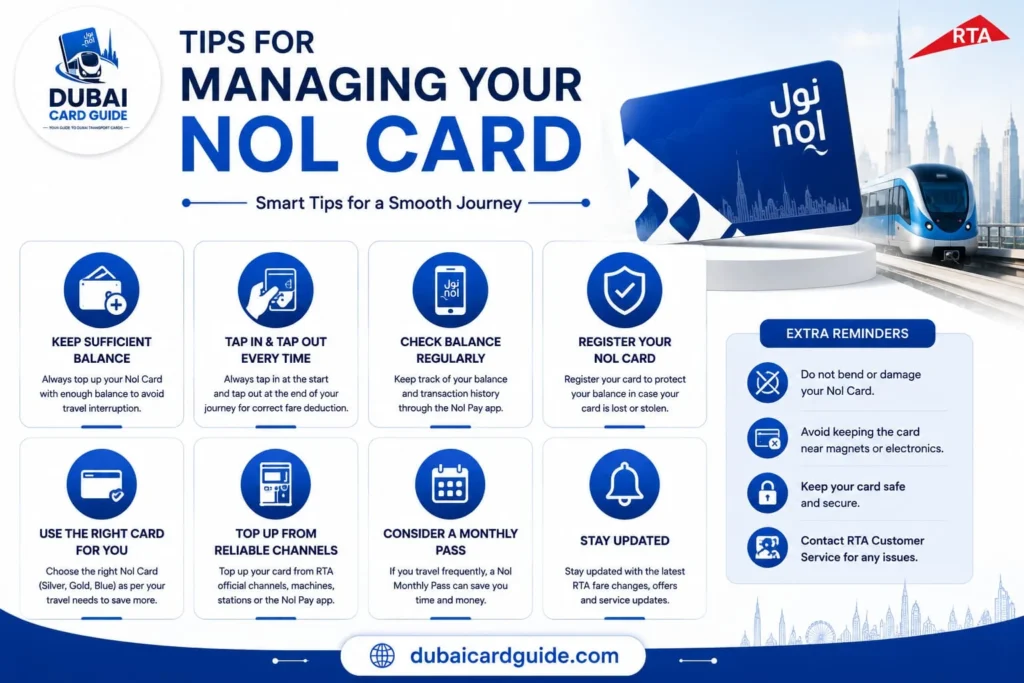
- Check your transaction history regularly to verify fare deductions, recent journeys, and recharge records.
- Maintain the minimum required balance before starting your trip to avoid travel interruptions.
- Recharge your card in advance, especially if you use Dubai Metro or RTA buses daily.
- Keep your NOL Tag ID handy so you can quickly access your transaction or balance history online.
- Use the NOL Pay App or RTA website to monitor your balance and card activity anytime.
- Review your recharge history after every top-up to make sure the amount has been added successfully.
Related Guides: If you need more help, you can also learn how to check your NOL Card balance, recharge your NOL Card online, or check your NOL Card expiry date in our detailed guides.
Conclusion
Checking your NOL Card transaction history and balance history is one of the easiest ways to stay in control of your daily travel in Dubai. Whether you use the Dubai Metro, RTA buses, Tram, or Water Bus, reviewing your card activity helps you verify fare deductions, confirm successful recharges, and keep track of your travel expenses.
With the RTA website, NOL Pay App, and Metro station services, you can access your NOL Card travel history, recharge records, and recent transactions in just a few minutes. By checking your history regularly, you’ll avoid unexpected balance issues and enjoy a smoother, hassle-free commuting experience across Dubai.
Frequently Asked Questions
You can check your NOL Card transaction history through the official RTA website by entering your NOL Tag ID. You can also use the NOL Pay App to view your recent transactions and travel records.
Yes. Both the RTA website and NOL Pay App allow you to view your balance history, travel history, recharge records, and recent transactions in one place.
A NOL Silver Card costs AED 25, including AED 19 preloaded travel credit that can be used immediately.
Recent trips or online recharges may take some time to appear. If the history doesn’t update, try checking again later or refresh your card at a Metro station ticket machine.
Yes, you can view the recent transaction history of most NOL Cards using the available RTA services. However, some account-specific features may only be available for registered cards.
Yes. Your recharge history is available through the RTA website and NOL Pay App, where you can review previous top-ups and payment details.
No. Besides the NOL Pay App, you can also check your NOL Card history through the official RTA website or at Metro station ticket machines.
The available transaction history depends on the records provided through RTA services. If you need older records, contact RTA Customer Support for assistance.
Yes. Tourists can check their card history using the RTA website, NOL Pay App, or Metro station ticket machines, provided they have their NOL Card details.
No. Checking your NOL Card transaction history, balance history, or travel history through official RTA channels is generally free.