How to Check NOL Card Balance Online (2026 RTA Guide)
Quick Answer: You can check NOL Card balance online through the official RTA website, the NOL Pay App, Metro station ticket machines, or Customer Happiness Centers. Simply enter your NOL Tag ID or scan your card to view your available balance, recent transactions, and card details within seconds.
Table of Contents
Toggle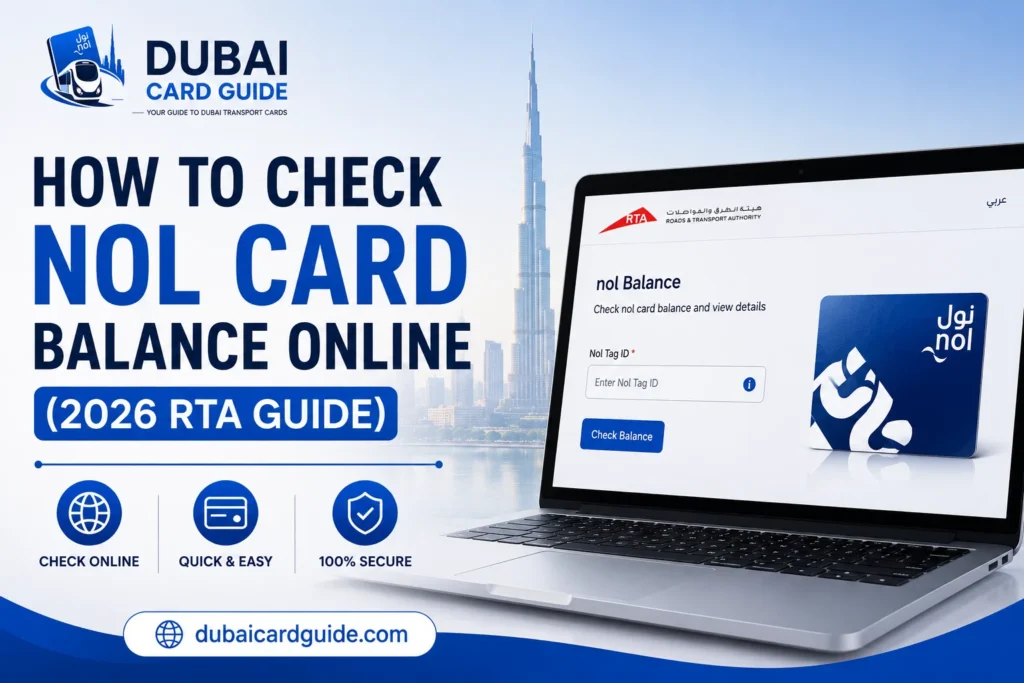
If you use Dubai Metro, buses, trams, or other RTA public transport services, keeping track of your NOL Card balance is essential for a smooth journey. Checking your remaining balance before you travel helps you avoid low-balance issues, failed gate entry, and unexpected delays. Whether you’re a daily commuter, student, tourist, or occasional traveler, knowing how to check your NOL Card balance online makes managing your travel much easier.
The good news is that Dubai’s Roads and Transport Authority (RTA) offers several quick and secure ways to view your available balance. You can use the official RTA website, the NOL Pay App, Metro station ticket machines, or Customer Happiness Centers to check your card in just a few steps. Most methods also let you view your transaction history, recharge your card, and monitor other NOL Card services from one place.
In this guide, you’ll learn how to check your NOL Card balance using every official method, where to find your NOL Tag ID, the minimum balance required for travel, and what to do if your balance or recharge doesn’t update correctly.
What You Need Before Checking NOL Card Balance?
Before you check your NOL Card balance, make sure you have the required details ready. This will help you complete the balance inquiry quickly without any errors or delays. Whether you’re using the RTA website, NOL Pay App, or a Metro station ticket machine, having the correct information ensures you see your available balance instantly.
Here are the essentials you’ll need:
Your NOL Tag ID
Every NOL Card has a unique NOL Tag ID printed on the back of the card. This number is used by the RTA system to identify your card and display your current balance, recent transactions, and other card details. Double-check the number before submitting it to avoid invalid search results.
A Supported Balance Check Method
Choose the method that works best for you:
- Official RTA website for a quick online balance check
- NOL Pay App if you want to check your balance on your mobile
- Metro station ticket vending machines for instant balance information
- Customer Happiness Centers if you need assistance from RTA staff
An Internet Connection (For Online Methods)
If you’re checking your NOL Card balance online, make sure your phone or computer is connected to the internet. This is required for the RTA website and NOL Pay App to retrieve your latest card information securely.
How to Check NOL Card Balance Online
Checking your NOL Card balance online is the fastest and most convenient way to know how much credit is available before you travel. The official RTA website lets you view your available balance, recent transactions, pending credit, and other card details within seconds. All you need is your NOL Tag ID, and you can access your card information anytime without visiting a Metro station.
Follow these simple steps to check your balance online:
Visit the Official RTA Website
Open your browser and visit the official RTA Dubai website. Navigate to the NOL Card Services or Balance Check section, where you can access the online balance inquiry tool.
Enter Your NOL Tag ID
Locate the NOL Tag ID printed on the back of your card and enter it in the required field. Make sure the number is correct to avoid search errors or invalid results.
Complete the Verification
If prompted, complete the security verification (such as CAPTCHA) and click the Search or Submit button to continue.
View Your NOL Card Balance
Your card details will appear on the screen within a few seconds. Depending on your card type, you may also see:
- Current NOL Card balance
- Recent transactions
- Pending credit (if any)
- Card expiry date
- Recharge history
Why Use the RTA Website?
The official RTA website provides a secure and reliable way to check your NOL Card balance online from anywhere. It’s especially useful if you want to verify your available balance before commuting or confirm that a recent recharge has been applied successfully.
Check NOL Card Balance Using the NOL Pay App
If you prefer checking your NOL Card balance on your mobile, the NOL Pay App is one of the easiest and fastest options. The official app allows you to view your available balance, check recent transactions, manage pending credit, recharge your card, and access other RTA NOL services from anywhere without visiting a Metro station.
Follow these simple steps:
Download the NOL Pay App
Install the NOL Pay App from the Google Play Store or Apple App Store. Once installed, sign in with your UAE Pass or registered account if required.
Add or Scan Your NOL Card
Open the app and add your NOL Card by entering the required details or simply scan the card using your phone’s NFC feature if your device supports it.
Open the Card Details
Select your linked card to view important information, including:
- Current NOL Card balance
- Pending credit
- Recharge history
- Recent transactions
- Card expiry date
Recharge Your Card (Optional)
If your balance is running low, you can top up your card directly through the app using the available payment methods. If the recharge appears as pending credit, simply tap your card at a Metro gate, parking meter, or ticket vending machine to activate the new balance.
Check Your NOL Card Balance at Metro Stations
Metro station ticket machines are one of the most reliable ways to check your NOL Card balance, especially if you don’t have internet access or prefer checking your card before starting your journey. Every Dubai Metro station has ticket vending machines and RTA customer service counters where you can instantly view your available balance, recent recharge status, and other card information.
Follow these steps:
Visit a Metro Station
Go to any Dubai Metro station and locate a ticket vending machine or visit the nearest RTA Customer Happiness Center if you need assistance.
Tap or Insert Your NOL Card
Place your NOL Card on the card reader or insert it into the machine, depending on the terminal available. The system will automatically detect your card details.
View Your Card Balance
Within a few seconds, the screen will display your card information, including:
- Current NOL Card balance
- Pending credit (if available)
- Recent recharge status
- Card validity (on supported machines)
Note: Metro station machines are also used to activate online recharges. If you recently topped up your card through the RTA website or NOL Pay App, simply tap your card on the machine to transfer the pending credit to your card.
Other Ways to Check Your NOL Card Balance
Besides the RTA website, NOL Pay App, and Metro station ticket machines, there are a few other official ways to check your NOL Card balance. These options are useful if you’re already visiting an RTA service location or need assistance with your card.
Check Your Balance at RTA Customer Happiness Centers
If you’re facing issues with your NOL Card balance inquiry or need help with your card, visit any RTA Customer Happiness Center. The staff can help you check your:
- Current NOL Card balance
- Pending credit
- Recent recharge status
- Card validity
- Basic account information
This option is particularly helpful for users who need assistance with personalized NOL Cards, balance-related issues, or card replacement requests.
Check Your Balance at Authorized Sales Agents
Many authorized NOL retailers across Dubai also provide balance inquiry services. Simply hand over your card, and they can quickly check your available balance or help you recharge it if required.
Can You Check Your NOL Card Balance by SMS?
Many websites still mention an SMS balance check service. However, RTA’s currently available public services focus on the official website, NOL Pay App, Metro station ticket machines, and Customer Happiness Centers. If SMS support is available for your card or region, always follow the latest instructions provided by RTA before using the service.
Why You Should Check Your NOL Card Balance Regularly?
Checking your NOL Card balance regularly helps you avoid unexpected travel issues and keeps your daily commute smooth. Whether you travel by Dubai Metro, bus, tram, or water bus, knowing your available balance before starting your journey can save both time and inconvenience.
Here are the main reasons to check your balance frequently:
- Avoid Travel Interruptions: Make sure your card has enough balance before entering Metro stations or boarding public transport.
- Track Your Spending: Review your NOL Card balance and recent deductions to better manage your transportation expenses.
- Confirm Successful Recharges: After an online top-up, check whether the amount has been credited or is still showing as pending credit.
- Monitor Recent Transactions: Keeping an eye on your transaction history helps you verify fares, identify incorrect deductions, and stay informed about your travel activity.
- Stay Ready for Daily Travel: Regular balance checks reduce last-minute surprises and ensure you can travel without delays.
- Manage Your Card More Efficiently: Along with checking your balance, you can also monitor your card validity, recharge status, and other important RTA NOL services.
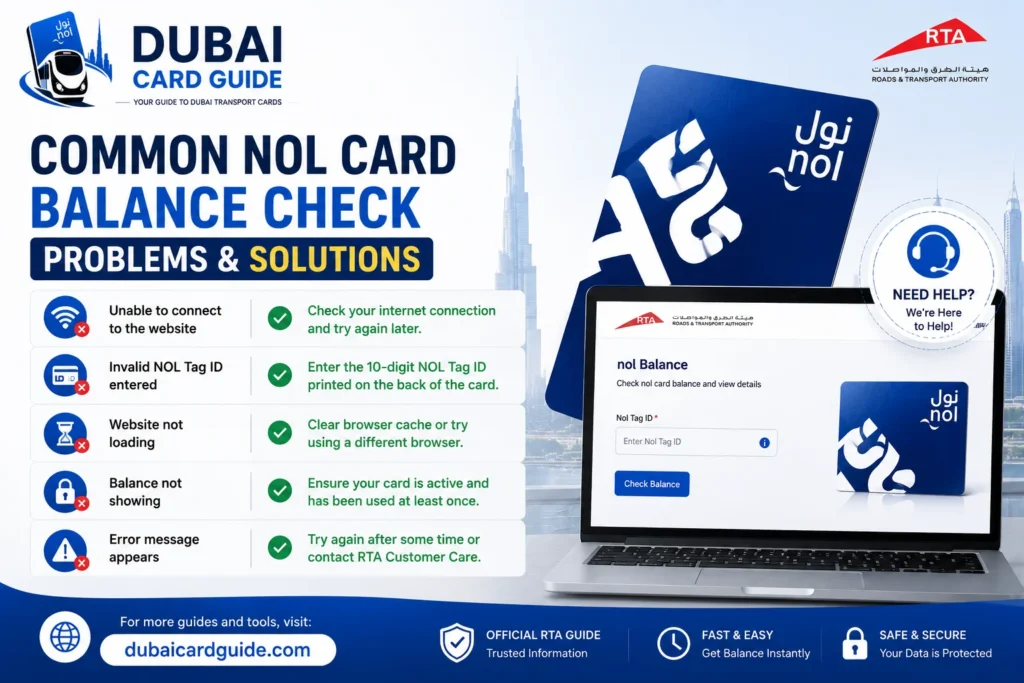
Common NOL Card Balance Check Problems & Solutions
Sometimes your NOL Card balance may not appear correctly, or an online recharge may take time to reflect. Most of these issues are temporary and can be resolved within a few minutes by following the correct steps.
Balance Is Not Updating After Recharge
If you’ve recently completed an online NOL Card recharge, the amount may appear as pending credit instead of your available balance.
What to do:
- Tap your card at a Metro gate or ticket vending machine.
- Refresh your balance in the NOL Pay App or on the RTA website.
- Wait a few minutes if the transaction is still being processed.
Invalid NOL Tag ID
Entering the wrong NOL Tag ID is one of the most common reasons why the balance check fails.
How to fix it:
- Double-check the number printed on the back of your card.
- Remove extra spaces or incorrect digits before searching again.
RTA Website Is Not Loading
Sometimes the RTA balance inquiry page may be temporarily unavailable due to maintenance or a slow internet connection.
Try this instead:
- Refresh the page.
- Switch to another browser or device.
- Use the NOL Pay App if the website is unavailable.
Card Is Not Being Detected
If your card isn’t recognized by the app or ticket machine, the issue may be related to the card itself.
You can:
- Clean the card and try again.
- Test it at another Metro station machine.
- Contact an RTA Customer Happiness Center if the problem continues.
Unable to See Recent Transactions
Recent NOL Card transactions or balance changes may not appear instantly, especially after a recharge.
In most cases, the information is updated shortly after your card is used at an RTA-enabled device or public transport gate.
Minimum NOL Card Balance Required for Travel
Before starting your journey, make sure your NOL Card has the minimum required balance. If your available balance is too low, you may not be able to enter the Metro station or complete your trip on Dubai’s public transport network.
Here are the key points you should know:
- Minimum balance required: Keep at least AED 7.50 on your NOL Card before travelling.
- Applies to most public transport: This balance requirement is generally applicable when using the Dubai Metro, Dubai Tram, and RTA buses.
- Check before you travel: A quick NOL Card balance check helps you avoid delays at ticket gates or during your journey.
- Recharge if needed: If your balance falls below the required amount, you can top up your card through the RTA website, NOL Pay App, Metro station ticket machines, or authorized sales agents.
- Regular commuters: Checking your balance regularly ensures uninterrupted travel and helps you manage your daily transport expenses more efficiently.
Tips to Manage Your NOL Card Balance Efficiently
Keeping your NOL Card balance updated helps you avoid travel interruptions and makes your daily commute more convenient. A few simple habits can ensure your card is always ready to use across Dubai Metro, buses, trams, and other RTA public transport services.
Here are some practical tips:
- Check your balance before travelling, especially if you use public transport daily.
- Recharge your NOL Card in advance instead of waiting until your balance is low.
- Activate online top-ups by tapping your card at a Metro gate or ticket vending machine if the recharge shows as pending.
- Save your NOL Tag ID so you can quickly access your card details whenever you need to perform a NOL Card balance check.
- Review your transaction history regularly to verify fare deductions and recent recharges.
- Keep your card in good condition by avoiding bending, scratching, or exposing it to excessive heat, as damaged cards may not be detected correctly.
- Use only official RTA channels, such as the RTA website and NOL Pay App, to check your balance, recharge your card, and manage other NOL services securely.
Conclusion
Checking your NOL Card balance regularly is one of the easiest ways to enjoy a smooth and hassle-free travel experience across Dubai. Whether you travel by Dubai Metro, bus, tram, or water bus, knowing your available balance before starting your journey helps you avoid unnecessary delays and ensures you always have enough credit for your next trip.
The good news is that RTA provides multiple official ways to check your NOL Card balance, including the RTA website, NOL Pay App, Metro station ticket vending machines, and Customer Happiness Centers. These services also let you monitor your transaction history, activate pending recharges, and manage your card more efficiently. By checking your balance before you travel and using official RTA channels, you can keep your NOL Card ready whenever you need it and enjoy a more convenient public transport experience in Dubai.
Faq's
You can check your NOL Card balance online by visiting the official RTA website, entering your NOL Tag ID, and viewing your available balance and card details.
Download the NOL Pay App or RTA Dubai App, add your card, and check your balance instantly from your smartphone.
Yes. You can check your balance at Metro station ticket vending machines or by visiting an RTA Customer Happiness Center.
You should have at least AED 7.50 on your NOL Card before using Dubai’s public transport services.
Your NOL Tag ID is printed on the back of your NOL Card and is required for online balance inquiries and other RTA services.
Online recharges may appear as pending credit until you tap your card at a Metro gate, ticket vending machine, or another supported RTA device.
Yes. You can view your NOL Card transaction history through the official RTA website or the NOL Pay App after entering your card details.
Yes. The RTA website and NOL Pay App allow you to check your card’s validity and expiry information.
Yes. Tourists can use the same official RTA channels to check the balance of their Silver, Gold, or Red Ticket cards.
The fastest methods are the RTA website and NOL Pay App, as they display your balance within seconds after entering your card details.