NOL Card Refund Guide: How to Claim Your Balance
Need to claim your NOL card refund? If you have remaining NOL card balance, RTA makes the refund process simple. You can apply online through the RTA website, use the Nol Pay app, or visit a metro ticket office for assistance. If your balance is under AED 100, you may receive a cash refund, while amounts over AED 100 are usually processed as a balance transfer to a registered NOL card. A small service fee may apply, and most refund requests are approved within four working days.
Table of Contents
Toggle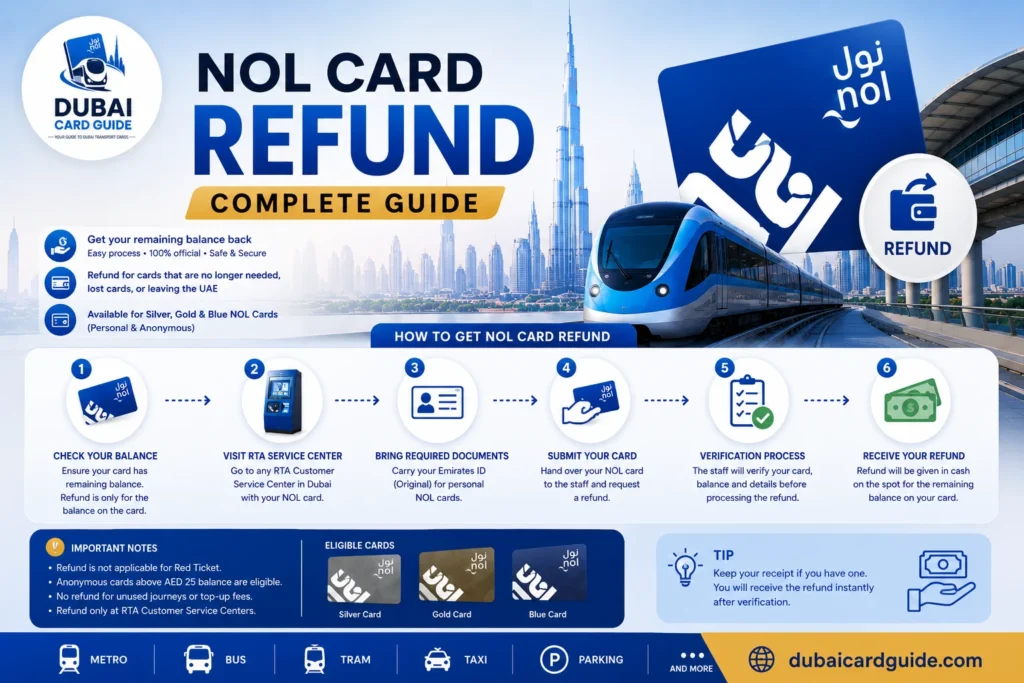
NOL Card Refund Eligibility
Not every NOL card is eligible for a refund. In most cases, RTA will process your request if:
- Your registered NOL card or personalized NOL card is lost or stolen.
- Your physically damaged card no longer works at metro gates.
- Your expired NOL card still has remaining balance or unused funds.
- You want to transfer balance to a different registered card.
- You were overcharged because of a faulty gate or incorrect fare calculation.
If you have an anonymous NOL card, such as a standard Silver card or Gold card that was never linked to your Emirates ID or passport, you will usually need to visit a ticket office with the physical card so staff can verify the card in person. However, if your card was registered under your name, you can normally request an online refund through the RTA website or the Nol Pay app.
How to Apply for NOL Card Refund?
Follow these steps to get full refund:
1. Online Through RTA Website
Applying for an online refund through the RTA website is the easiest way to recover your remaining balance. Before you begin, check your NOL card balance to make sure you’re requesting the correct amount. Then follow these steps:
- Visit the official NOL refund page on the RTA website.
- Enter your Nol Tag ID (the 10-digit card number printed on the back of your card).
- Add your registered mobile number.
- Select the reason for your refund request, such as a lost NOL card, stolen NOL card, or expired NOL card.
- Verify your identity using the PIN code sent to your phone.
- Fill in your personal details, including your name, Emirates ID, and address.
- Review the information, accept the terms and conditions, and pay the AED 70 replacement fee if applicable.
- Submit your refund application and save the reference number to track your application.
RTA usually processes refund requests within four working days. If you’re a tourist, the process is almost the same as it is for residents—you’ll simply use your passport number instead of an Emirates ID when completing the application.
2. Quick Cash Refunds for Tourists Before Departure
If you’re a tourist leaving Dubai soon, you don’t always have to wait for the standard refund process. Tourists with a balance under AED 100 can often receive an instant cash refund by visiting any Dubai Metro station before departure.
Follow these simple steps:
- Go to the nearest Metro ticket counter.
- Present your NOL card to the staff.
- The balance will be verified.
- Collect your cash refund after the applicable AED 5 fee or 2.5% fee (whichever applies) is deducted.
This option is ideal for last-minute travelers who want to clear a small balance before leaving the UAE.
Required Documents for Tourists
To make refund processing quick and avoid delays, keep these details ready:
- NOL Tag ID (printed on the back of your card)
- Passport number
- UAE mobile number or international mobile number
- Dubai address or home country address
3. Claim Your Refund Using the Nol Pay App
If you prefer using your phone, the Nol Pay app offers a quick and convenient way to submit a refund request. The mobile app is available for Android, iOS, and Huawei devices, allowing you to manage your card without visiting a station.
Follow these steps:
- Download and sign in to the Nol Pay app.
- Tap Refund Card or Nol Card Balance Recovery.
- Enter your card details and contact information.
- Review the request carefully and confirm the request.
- Use the app anytime to check your refund status or card balance.
4. Get a Refund at Dubai Metro Stations
If your NOL card balance is under AED 100, you can visit any of the Dubai Metro stations and request an instant cash refund.
Here’s how it works:
- Go to the nearest Metro ticket counter.
- Hand your card to the staff for staff verification.
- Receive your refund after the applicable service fee is deducted.
If your balance exceeds AED 100 or your case involves a lost NOL card, you’ll need to use the online method or the app method, as these requests cannot be completed with an instant cash refund at the station.
What Is the AED 100 Refund Rule?
The AED 100 rule is one of the most important things to know before requesting a refund, yet many people overlook it.
- If your remaining balance is under AED 100, RTA usually allows a cash refund at a metro ticket counter. Simply hand over the card, let the staff verify the card, and collect your cash after the applicable service charge is deducted.
- If your balance is over AED 100, you cannot receive cash. Instead, the amount is sent through an electronic transfer as a balance transfer to another registered NOL card in your name.
- This rule is an anti-fraud control because a NOL e-purse can hold up to AED 5,000. If you don’t already have a second registered NOL card, you’ll need to register a card before the transfer can be completed.
- Understanding this refund threshold in advance can save you time, especially if you’re a tourist heading to the airport, where many travelers are surprised to learn that the counter agent cannot issue cash for balances above the limit.
NOL Card Refund & Cancellation Policy?
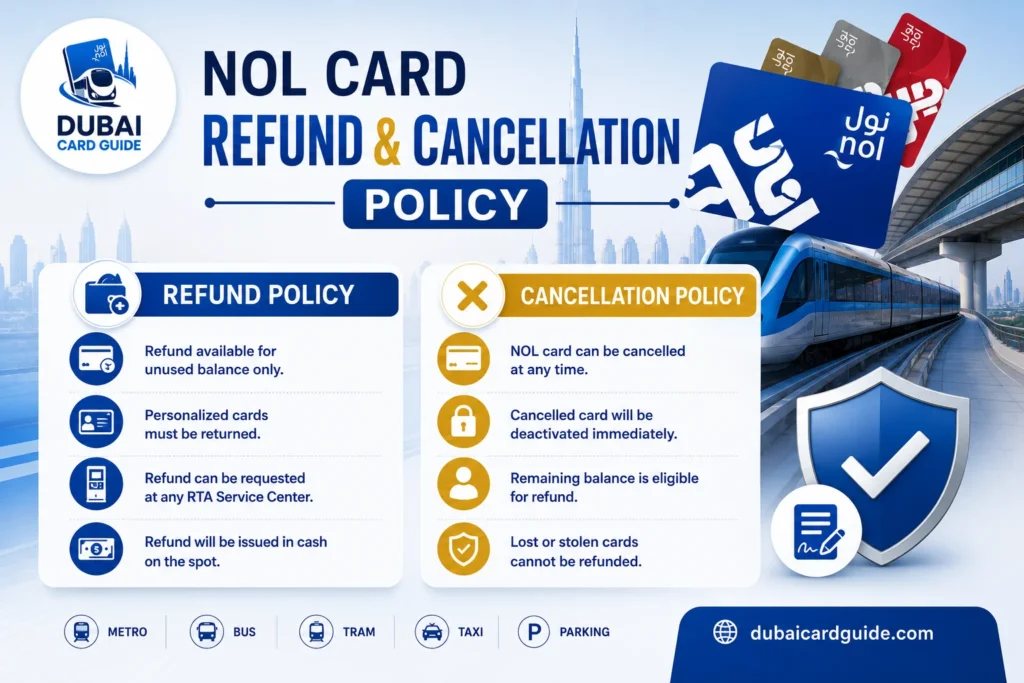
The NOL card is your all-in-one travel card for Dubai’s public transportation system, including the Dubai Metro, buses, trams, and water taxis. If you no longer need your card, the Roads and Transport Authority (RTA) has a clear refund policy and cancellation policy to help eligible users recover their remaining balance. Before you cancel your NOL card, it’s important to understand which balances qualify for a refund and what requirements apply.
Balances Refundable vs Non-Refundable
Not every amount stored on a valid NOL card can be refunded. In general, a balance under AED 100 is eligible for a cash refund, while a balance exceeding AED 100 must be processed through the online refund process and transferred according to RTA rules. Some amounts, such as already-used travel fares, are considered non-refundable balances and cannot be claimed. Checking whether your refundable balance meets the eligibility criteria can save time before submitting your request.
Refund Eligibility Conditions
Your refund eligibility largely depends on the type of card you own. A registered NOL card, linked to your personal details, is generally eligible for a full refund if it is cancelled, lost, or damaged. An anonymous NOL card, on the other hand, may have refund restrictions because it cannot be easily verified through tracking records. For the smoothest refund experience, registering your card with RTA is always the better option.
Balance Limits and Refund Conditions
Before submitting a NOL card refund request, it’s important to understand the balance limits and refund conditions set by RTA. The refund method depends on your balance amount, so knowing the rules can help you choose the best option.
- A balance under AED 100 is generally eligible for a cash refund.
- A balance above AED 100 cannot be paid as a cash withdrawal. Instead, the amount is processed as a balance transfer to a registered NOL card.
- For every cash refund, RTA deducts a service fee equal to 2.5% of your card balance or AED 5, whichever is higher.
If you only have a small remaining balance, it may be more practical to use it for small purchases instead of requesting a refund and paying the service fee.
How to Track Refund Status?
Once you submit your refund request, you’ll receive a reference number. Keep this number safe, as it’s required to check your refund status or application status later. You can track your refund progress at any time through the RTA website or the Nol Pay app, making it easy to stay updated without visiting a metro station.
Here’s what you can expect after submitting your request:
- Save your reference number immediately after completing the application.
- Use the RTA website or Nol Pay app to track your refund status and monitor your claim status.
- For standard cases, the normal refund processing processing time is around 4 calendar days.
- If you’ve submitted an overcharge claim, the review usually takes 3 calendar days. However, additional verification may extend the process to up to 7 calendar days.
- Once your refund is approved, you’ll receive an SMS confirmation on your registered mobile number with the latest update.
Most refunds are completed within the expected timeframe, but delays can occasionally occur if the information provided needs verification or if the case requires further review. Keeping your contact details up to date and checking your refund status regularly will help you stay informed throughout the process.
Lost, Stolen, Expired, or Damaged NOL Card Refunds
Losing or damaging your NOL card doesn’t always mean losing your remaining balance. If you have a lost NOL card, stolen NOL card, expired NOL card, or damaged NOL card, RTA may still allow a NOL card refund or a balance transfer, especially if your card was registered. Acting quickly is important to protect your balance and improve your refund eligibility.
If your card is lost, stolen, or damaged, follow these steps:
- Contact RTA customer service or use the RTA app (the official app) to report your lost card or report your damaged card as soon as possible.
- Ask RTA to block your NOL card immediately. This helps improve card security and prevents unauthorized use.
- If you have a registered NOL card, you may be able to transfer the remaining balance to a replacement card through a balance transfer.
- RTA will review the card status before making a decision on refund approval or the balance transfer.
- If you have a broken card, visit the nearest RTA service center for a card evaluation to determine whether it qualifies for a refund or replacement.
The sooner you report the issue using the customer service number or the app, the easier it is for RTA to verify your card and process your request. Registered cards usually have a smoother recovery process because they are linked to your personal account, making ownership easier to confirm.
How to activate refunded balance ?
Once your refund is approved or your balance transfer has been completed, you’ll need to activate your refunded balance before you can use it. This final card activation step ensures that the transferred funds are successfully linked to your new NOL card and appear as your available balance.
To activate your NOL card, you can use any of the following methods:
- Insert your card into a NOL top-up machine.
- Complete a parking payment at an RTA parking meter.
- Tap your card at any Metro station gate.
After the activation is complete, your available balance will be ready to use for travel across Dubai’s public transport network. If the transferred amount doesn’t appear immediately, wait a few minutes and try tapping the card again or check the balance using the Nol Pay app or an RTA ticket machine.
Where Can You Spend Your Remaining NOL Balance?
If your remaining NOL balance is only a few dirhams, requesting a refund may not be the best option because a refund fee could reduce the amount you receive. Instead, you can simply use your NOL card to pay for everyday purchases across Dubai and make the most of your remaining balance.
Here are some places where you can spend your balance:
- Buy groceries from Carrefour or Lulu Hypermarket.
- Pay for fuel at ENOC or EPPCO service stations.
- Enjoy dining at selected RTA partner restaurants.
- Pay parking fees using RTA parking meters.
- Use it for park entry at Zabeel Park or Mushrif Park.
This is especially useful for tourists who are close to their departure and want to use every remaining dirham instead of applying for a refund.
Common Mistakes That Can Delay Your NOL Card Refund
Many refund delays happen because of small mistakes that can easily be avoided. Before submitting your online refund request, make sure you understand the requirements below to help your application move smoothly.
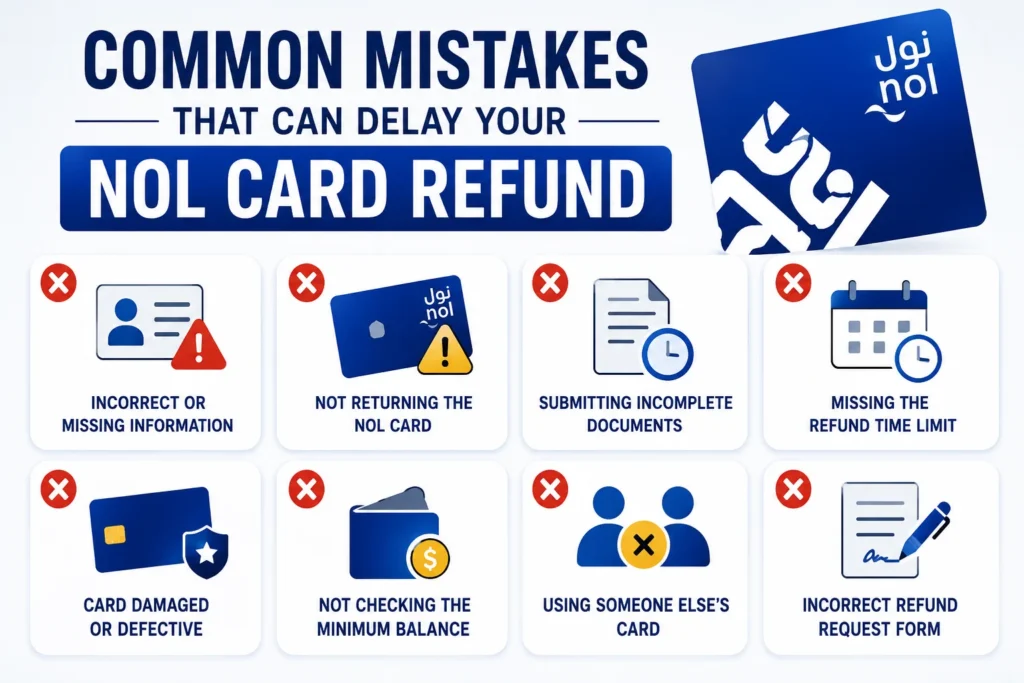
- Applying with an unregistered NOL card: An anonymous NOL card usually can’t be processed online. In most cases, you’ll need to make an in-person visit to an RTA ticket office for verification.
- Expecting a cash refund for a balance over AED 100: If your balance is over AED 100, RTA will process it as a balance transfer to a registered NOL card instead of issuing a cash refund.
- Not having a second registered NOL card: If you’re submitting a transfer request, you’ll need a second registered NOL card to receive the transferred balance.
- Expecting the refund immediately: Every request has a refund processing time. If the payment involves a bank-linked payout or additional verification, it may take a few days before the money is available.
- Misplacing your reference number: Always save your reference number after submitting the request. You’ll need it to track your refund status, and it also helps RTA customer support locate your application much faster if you need assistance.
Tips to Maximize Your NOL Card Refund
Getting the full value of your NOL card refund isn’t just about submitting the request—it’s also about making smart choices before you apply. These simple tips can help you reduce extra charges, speed up the refund process, and make better use of your remaining balance.
- Use a small balance first: If you only have a small balance, it may be better to spend it before requesting a refund. Since a refund fee or processing fee may apply, using the balance first can help you keep more of your money. If your balance is under AED 100, you may also be eligible for a cash refund.
- Register your NOL card: A registered NOL card makes the online refund process much easier because it’s linked to your personal information. If you ever need to cancel your NOL card, transfer funds, or request a refund, registration can save you time.
- Choose a balance transfer for higher amounts: If the service fee for a cash refund seems too high, consider a balance transfer to another NOL card. This lets you transfer your balance instead of withdrawing it, so you can continue using the funds later.
Before applying, it’s also worth checking your NOL card balance to know exactly how much is available. If your balance is running low, you can always recharge your NOL card instead of requesting a refund, especially if you plan to continue using Dubai’s public transport. These options help you make the best decision based on your travel plans and the refund value you’re expecting.
Conclusion
Requesting a NOL card refund is straightforward once you understand the eligibility rules, refund methods, and balance limits. Whether you’re applying through the RTA website, using the Nol Pay app, or visiting a metro station, choosing the right refund option can save both time and unnecessary fees. Before submitting your request, it’s always a good idea to check your NOL card balance and make sure your card is registered for a smoother experience.
If you’re planning to continue using Dubai’s public transport, you may find it more practical to recharge your NOL card instead of requesting a refund. By understanding the refund process and making informed decisions based on your balance, you can get the most value from your NOL card while avoiding common mistakes and delays.
Faq's
The processing time depends on the refund method you choose. Most online requests submitted through the RTA website or Nol Pay app are completed within four working days. If you’re claiming a cash refund for an eligible balance under AED 100 at a metro ticket office, you may receive it on the spot.
Yes. Tourists are also eligible to request a NOL card refund. The process is almost the same as it is for residents, except you’ll use your passport number instead of an Emirates ID when verifying your identity.
Yes. A service fee may apply depending on the type of refund. For cash refunds, RTA generally charges 2.5% of the available balance or AED 5, whichever is higher. Different charges may apply if you’re transferring the balance to another registered NOL card.
In most cases, an unregistered NOL card cannot be refunded through the RTA website or Nol Pay app. You’ll usually need to visit a metro ticket office with the physical card so staff can verify it before processing your request.
If your card is lost or stolen, report it to RTA as soon as possible to prevent unauthorized use. If the card was registered, you can request a balance recovery and, once approved, the remaining funds can be transferred to a replacement card.
Yes. If you’re traveling out of Dubai, you can visit a Dubai Metro station located at the airport to request an eligible refund. This option is especially convenient for tourists who want to clear their remaining balance before departure.
Yes. It’s recommended to check your NOL card balance before submitting a refund request so you know the exact amount available and can choose the most suitable refund option.
If you plan to continue using Dubai’s public transport, it’s often more practical to recharge your NOL card instead of requesting a refund. However, if you no longer need the card, applying for a refund is the better choice.
Yes. If your card is eligible, you can cancel it and request a refund for the remaining balance during the same application. The refund method depends on your card type and available balance.