How to Top Up NOL Card Online | RTA, Nol Pay App & NFC Guide
Quick Answer: If you need to top up NOL card online, the fastest option is through the Nol Pay App using NFC on a compatible Android phone. You can also recharge your card through the RTA Website, RTA apps, and other supported online services. A recharged RTA NOL card lets you continue using the Dubai Metro, buses, trams, taxis, public parking, and selected retail locations without interruption.
Table of Contents
Toggle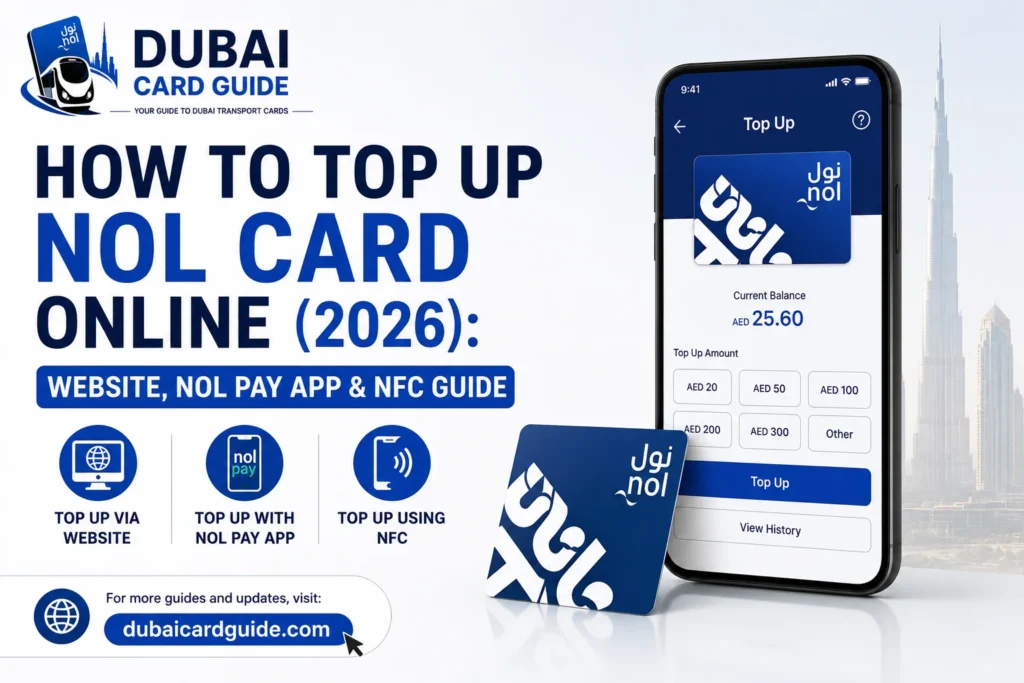
In this guide, you’ll learn how to top up a NOL card online, use NFC on your phone, choose the best recharge method, understand processing times, and solve common recharge issues. Whether you’re a tourist or a daily commuter, this guide covers every official way to recharge your NOL card in 2026.
Ways to Top Up a NOL Card Online
You can top up your NOL card online in several official ways, depending on the device or service you use. Some methods offer instant NFC recharge, while others allow you to recharge through websites, mobile apps, or banking services. If you prefer offline options, you can also recharge your card at Metro stations, ticket offices, petrol stations, and selected retail stores.
1. Top Up Using the RTA Website
The RTA website is one of the easiest ways to top up your NOL card online. Simply enter your NOL Tag ID, choose the recharge amount, complete the payment, and activate the balance before your next journey.
2. Recharge with the Nol Pay App (NFC)
The Nol Pay App lets you recharge your card instantly using NFC-enabled smartphones. Just place your NOL card against the back of your phone, pay securely, and the balance is written directly to your card within minutes.
3. Use the RTA Dubai App
The RTA Dubai App provides another official way to recharge your NOL card from anywhere. It supports secure online payments and allows you to manage your card without visiting a Metro station.
4. Top Up Through DubaiNow
With the DubaiNow App, you can access multiple government services, including NOL card recharge. After logging in with your UAE Pass, you can quickly add balance using your preferred payment method.
5. Recharge with the S’hail App
The S’hail App is mainly used for journey planning, but it also allows users to top up their NOL card online. It’s a convenient option if you already use the app for daily travel.
6. Use the Careem App
Besides booking rides and ordering services, the Careem App also supports NOL card top-ups. Simply open the Bills & Recharge section, enter your card details, and complete the payment.
7. Top Up Through Bank Mobile Apps
Several banks, including Emirates NBD, ADCB, and Emirates Islamic, allow customers to recharge their NOL cards directly through mobile banking apps, making it convenient for regular commuters.
8. Recharge at Metro Ticket Vending Machines
Ticket vending machines are available at every Dubai Metro station and offer a quick way to top up your card using cash or a debit/credit card whenever you travel.
9. Visit Metro Ticket Offices
If you prefer assistance, you can recharge your NOL card at any Metro ticket office, where RTA staff can help you complete the process.
10. Use Petrol Stations (ENOC, EPPCO & Zoom)
Selected ENOC, EPPCO, and Zoom outlets also provide NOL card recharge services, allowing you to top up your balance while refueling or shopping.
11. Recharge at Grocery Stores & RTA Top-Up Agents
Many grocery stores, mini marts, and other RTA-authorized top-up agents across Dubai offer NOL recharge services, making it easy to add balance close to home.
12. Use Solar Top-Up Machines
Some Dubai bus stops feature solar-powered top-up machines where you can recharge your NOL card using cash, providing a convenient option while waiting for your bus.
How to Top Up NOL Card Using the RTA Website?
The RTA website is one of the easiest and most reliable ways to top up your NOL card online. You can recharge your card from anywhere using a debit or credit card without visiting a Metro station. Once the payment is completed, simply activate the balance before starting your next journey.
Steps to Top Up a NOL Card on the RTA Website
- Visit the official RTA website and open the NOL Card Top-Up page.
- Enter your NOL Tag ID or card number.
- Select the recharge amount you want to add.
- Confirm your card details and proceed to payment.
- Pay securely using your debit or credit card.
- After the payment is successful, activate the balance by tapping your NOL card at a Metro gate, ticket vending machine, parking meter, or another supported RTA device.
How to Top Up NOL Card Using the Nol Pay App (NFC)
The Nol Pay App is the fastest way to top up your NOL card using your phone. If your Android phone supports NFC (Near Field Communication), you can recharge your card anytime without visiting a Metro station. The balance is written directly to your card after payment, making it one of the most convenient recharge methods.
Steps to Top Up a NOL Card Using the Nol Pay App
- Download and open the Nol Pay App on your NFC-enabled smartphone.
- Tap “Top Up NOL Card” from the home screen.
- Place your NOL card against the back of your phone so the app can read it.
- Enter the recharge amount you want to add.
- Complete the payment using your debit or credit card.
- Tap your NOL card on the back of your phone again to write the new balance onto the card.
- Wait for the confirmation message before removing your card.
Requirements
- An NFC-enabled Android smartphone.
- The latest version of the Nol Pay App.
- A valid debit or credit card for online payment.
- Your physical NOL card.
Why Use the Nol Pay App?
- Recharge your NOL card anytime and anywhere.
- No need to visit a Metro station or ticket office.
- The balance is updated directly on your card through NFC.
- Safe and secure online payment process.
How to Top Up NOL Card Using the RTA Dubai App
The RTA Dubai App lets you top up your NOL card online without visiting a Metro station. Simply enter your card details, make the payment, and activate the balance before your next trip.
Steps
- Open the RTA Dubai App and sign in.
- Select NOL Services and tap Top Up NOL Card.
- Enter your NOL Tag ID or card number.
- Choose the recharge amount.
- Pay using a debit or credit card.
- Activate the new balance by tapping your card at an RTA-enabled device before traveling.
Common NOL Card Top-Up Problems & Solutions
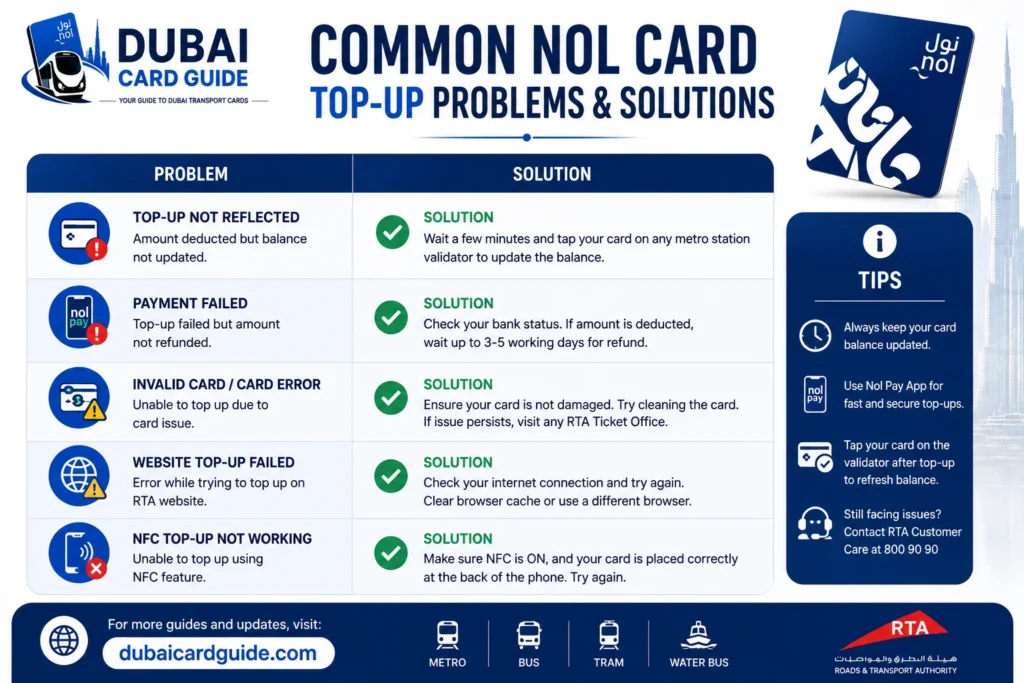
Even though topping up a NOL Card online is usually quick, users sometimes face delays or payment issues. Here are the most common problems and how to fix them.
Top-up Not Showing on Your NOL Card
If your recharge was successful but the balance hasn’t appeared, don’t panic. Online top-ups made through the RTA Website are often stored online until you validate the card.
Solution:
- Tap your card at any Metro station gate, ticket vending machine, or parking meter.
- If you used the Nol Pay App with NFC, hold your card against your phone again to complete the update.
NFC Is Not Working
If your phone cannot read the card, the NFC feature may be turned off or your device may not support it.
Solution:
- Enable NFC from your phone settings.
- Place the card against the NFC area on the back of your phone.
- Update the Nol Pay App to the latest version.
- If your phone doesn’t support NFC, use the RTA Website or recharge at a Metro station instead.
Payment Was Deducted but Recharge Failed
Sometimes the payment is processed, but the recharge doesn’t appear immediately because of a temporary network or system issue.
Solution:
- Wait a few minutes and check your balance again.
- Verify your recharge through the NOL Card Balance Check page.
- If the issue remains, contact RTA Customer Support with your payment receipt.
Entered the Wrong NOL Tag ID
Entering an incorrect card number can cause the recharge to fail or be sent to the wrong card.
Solution:
- Double-check your NOL Tag ID before making payment.
- Always copy the number carefully from your card or account.
Online Recharge Is Taking Too Long
Unlike NFC top-ups, website recharges may not appear instantly until the card is validated.
Solution:
- Validate your card at a Metro station or ticket machine.
- For instant balance updates, use the Nol Pay App with an NFC-enabled phone whenever possible.
Conclusion
Topping up your NOL card online is now quicker and more convenient than ever. Whether you prefer the RTA Website, Nol Pay App, an NFC-enabled phone, or any other official recharge method, you can add balance in just a few minutes without waiting in long queues.
If you use Dubai’s public transport regularly, keeping your NOL card topped up means you won’t have to worry about last-minute interruptions at the Metro gate or bus stop. Before adding more credit, it’s always worth taking a moment to check your NOL card balance so you only recharge what you need.
We hope this guide helped you find the easiest way to top up your NOL card online. Simply choose the method that works best for you, follow the steps, and enjoy hassle-free travel across Dubai.
Faq's
You can top up your NOL card online through the RTA website by entering your NOL Tag ID, selecting the recharge amount, and completing the payment. After the transaction, tap your card at an RTA metro gate, parking meter, ticket machine, or use an NFC-enabled phone to activate the new balance.
Download the nol Pay app on an NFC-enabled Android phone, scan your NOL card, enter the recharge amount, complete the payment, and tap the card on your phone again to write the balance instantly.
A recharge made through the nol Pay app with NFC is usually available immediately after writing it to the card. Online top-ups made through the RTA website or other apps may require card activation before the balance becomes available.
The minimum online recharge amount depends on the method used. For the RTA website, you can generally top up starting from AED 7.50, while other channels may have different limits.
The Silver NOL Card is ideal for most daily commuters because it’s affordable and supports weekly and monthly travel passes. If you want balance protection and concession benefits, the Blue NOL Card is the better choice.
Yes. You can recharge through the RTA website, metro station ticket machines, ticket offices, ENOC and EPPCO stations, Zoom stores, supermarkets, Careem, DubaiNow, S’hail, or supported banking apps.
Yes. Emirates NBD customers can recharge their NOL card through the bank’s mobile application. Availability of Auto Top-Up features may vary, so check the latest options inside the Emirates NBD app.
If your updated balance isn’t visible, your card may still need activation. Tap it on an NFC-enabled phone using the nol Pay app or at an RTA ticket machine, metro gate, or parking meter to complete the recharge.
Yes. As long as you have the correct NOL Tag ID, you can top up another person’s card through the RTA website, nol Pay app, or other supported recharge channels.
You can confirm your recharge by checking your balance in the nol Pay app, on the RTA website, or by using a metro station ticket machine. If needed, you can also read the updated balance after activating the card.