
How to Check NOL Card Travel History Online
Quick Answer: You can check your NOL card travel history through the RTA website, RTA Dubai App, or by getting assistance at a Metro station or RTA service centre. For the online method, open NOL Card Transaction History, sign in with your UAE Pass or RTA account, select your linked personal or registered NOL card, and review the available transactions.
Table of Contents
Toggle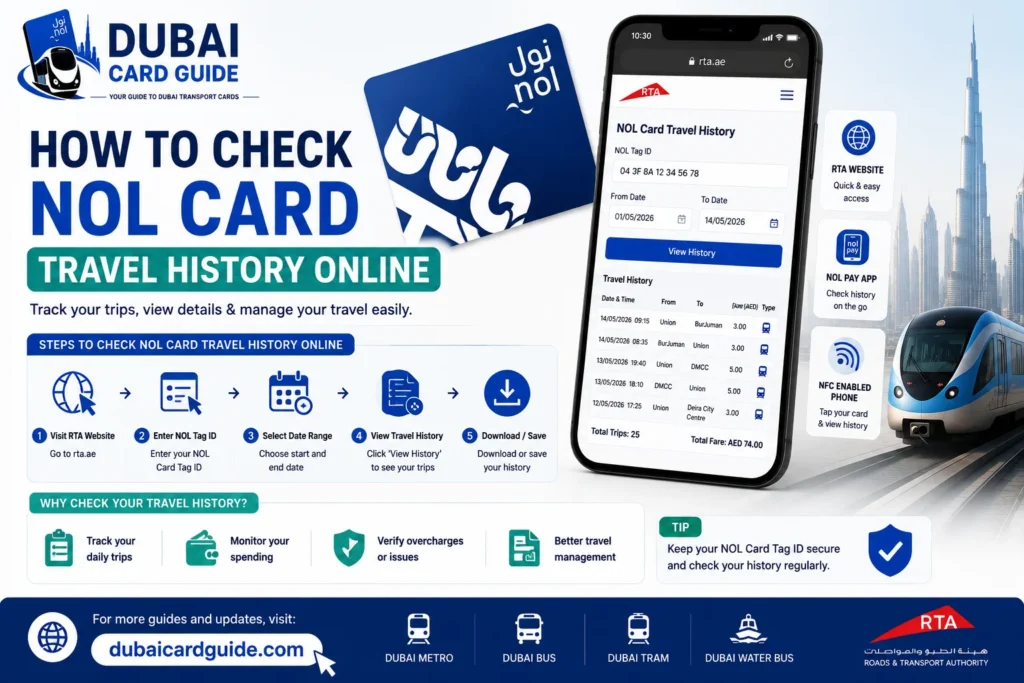
1. Check NOL Card Travel History Through the RTA Website
The RTA website is the most direct option when you want to review your recent NOL card transaction history online.
Steps:
- Open the RTA website and go to the NOL services section.
- Select NOL Card Transaction History.
- Sign in using UAE Pass or your RTA account.
- Select the personal or registered NOL card linked to your account.
- Open the transaction history section.
- Review your recent card activity, including available fare deductions, transaction dates, top-ups and other NOL transactions.
Make sure you select the correct card if more than one NOL card is linked to your account. RTA’s transaction history service is different from the basic balance-checking service, which only shows the amount currently available on the card.
2. Check NOL Card Travel History Through the RTA Dubai App
The RTA Dubai App is another option for managing NOL services and reviewing card-related information.
Steps:
- Open or install the RTA Dubai App.
- Sign in with your RTA account.
- Open the NOL or NOL services section.
- Select the available transaction or card-history option.
- Choose your linked NOL card or provide the requested card information.
- Review the available travel and transaction records.
The app can also be useful for other NOL card management tasks, such as checking your current balance, topping up the card and managing linked cards.
3. Check NOL Card Travel History at a Metro Station or RTA Service Centre
If you cannot access your card history online or you need help with an unexpected fare, take your physical NOL card to a Metro station or RTA service centre.
You can:
- Visit a Metro station and ask for assistance with your NOL card.
- Explain that you want to check a recent transaction or fare.
- Provide the physical NOL card when requested.
- Ask the staff to help you understand an unclear transaction or balance change
What Does NOL Card Travel History Show?
Your NOL card travel history shows recent activity linked to your card. It helps you understand when a transaction took place, what type of activity was recorded, and how much was charged or added to the card.
Depending on the transaction, the available record may include:
- Journey or transaction date and time : When the recorded card activity took place.
- Fare charged : The amount deducted for a transport journey or other applicable transaction.
- Transport transaction : Recent activity related to using the NOL card for public transport.
- Top-ups or recharge : Records of amounts added to the card.
- Balance-related activity : Information connected to changes in the stored card value, where available.
The exact information can vary by transaction type. A NOL card transaction history should not always be expected to show a complete route, every station, stop, or journey map.
Travel History vs NOL Balance Check
These two services are not the same. A NOL balance check only tells you how much credit is currently available on your card. It does not show your previous trips, fare deductions, or recharge records.
For example, knowing that your card currently has AED 22.50 does not tell you when your last fare was deducted or when the card was last recharged. For those details, you need to use the NOL transaction history service.
How Far Back Can You Check NOL Card Travel History?
The available NOL card travel history depends on the records currently retained by RTA and the transaction history linked to your card or account. You may be able to see recent journeys, fare deductions, and recharge transactions, but older activity may no longer appear.
If a transaction is not showing, it does not necessarily mean the journey was not recorded. Older records may fall outside the available history period, while very recent transactions can sometimes take time to appear.
Why Older NOL Transactions May Not Appear
There are a few possible reasons an older NOL transaction history record is unavailable:
- The transaction is outside the available history period.
- The wrong NOL card is selected in your account.
- The card is not properly linked to the account.
- The transaction has not yet been updated in the system.
- You are checking the balance rather than the full transaction history.
Can You Check NOL Travel History With a Tag ID?
Yes, your NOL Tag ID is used for several NOL card services, but the Tag ID alone does not necessarily provide access to your complete NOL card travel history.
For detailed NOL transaction history, your card generally needs to be linked to an eligible RTA account or service. If you have a personal NOL card or registered NOL card, you can sign in through the available RTA service using your UAE Pass or RTA account, select the correct linked NOL card, and check the available transaction records.
Where to Find Your NOL Tag ID
Your NOL Tag ID is the identification number associated with your physical NOL card. Check the information printed on your card and enter the number exactly as shown when an RTA service asks for it.
If you have more than one NOL card linked to your account, make sure you select the correct card before checking its transaction history. Choosing another card can make it appear as though a recent journey or fare deduction is missing.
Do You Need to Log In?
For a full NOL card transaction history, account access may be required, particularly when using services connected to a personal or registered NOL card.
A Tag ID can help identify your card for supported NOL services, but it should not be confused with the account access needed to view private travel records.
So, if you only have the Tag ID and want to see previous journeys, use the official RTA NOL service and follow the required sign-in process rather than assuming that entering the number alone will display the complete NOL travel history.
Why Is My NOL Travel History Not Showing?
If your NOL travel history is not showing, it does not always mean that the journey was not recorded. A few common issues can prevent a recent transaction from appearing when you check your NOL card transaction history.
Recent Transaction Has Not Updated Yet
A very recent journey may take some time to appear in your transaction history. If you have just completed a trip and cannot see it, check again later before assuming there is a problem with the card.
The Wrong NOL Card Is Selected
If you have more than one NOL card linked to your account, make sure you are checking the correct card.
Compare the physical card you used for the journey with the linked NOL card selected in your RTA account. Selecting a different card can make a recent trip or fare deduction appear to be missing.
Your Card or Account Has an Issue
Your personal NOL card or registered NOL card needs to be correctly linked to the relevant RTA service for account-based transaction information.
If the card is not appearing correctly, check your account and card details before trying to view the NOL transaction history again.
The Transaction Is Too Old
RTA provides a limited period of available NOL card travel history for eligible cards. If you are looking for an older journey, it may no longer appear once it falls outside the available history period.
For this reason, it is better to check an unexpected fare deduction or missing transaction as soon as you notice it.
There Was a Tap-In or Tap-Out Issue
If a journey involved an unusual tap-in or tap-out situation, the resulting fare may not be what you expected.
Check the available transaction details, including the date, time and fare amount. If the transaction still looks incorrect, contact RTA customer service or visit an RTA service centre with your NOL card for assistance.
Can You Check Travel History for a Lost or Anonymous NOL Card?
Checking NOL card travel history after losing a card depends largely on whether the card was registered or anonymous.
A registered NOL card or personal NOL card is linked to an account, making it easier to manage the card and access available NOL transaction history. If you lose this type of card, sign in to your linked RTA account and check the services available for that card.
An anonymous NOL card is different because it is not linked to your personal account in the same way. This can make it more difficult to access account-based travel records after the physical card is lost.
Registered vs Anonymous NOL Card
| NOL Card Type | Travel History Access |
|---|---|
| Personal NOL Card | Available through eligible linked NOL services and account access. |
| Registered NOL Card | Provides better access to account-linked NOL transaction history. |
| Anonymous NOL Card | More limited because it is not linked to a personal account in the same way. |
If you regularly use your NOL card and want easier access to your NOL card history, registering an eligible card provides better account-based management.
What If You Lost a Registered NOL Card?
If the lost card was linked to your account, log in and check the available NOL card services for that card. You can review the available recent transactions and identify any activity that took place before you lost it.
If you notice an unexpected fare deduction or another transaction, keep the relevant date, amount and card details ready when contacting RTA for assistance.
For an anonymous card, the available information can be more limited because there is no account link connecting the physical card to your personal profile.
Conclusion
Checking your NOL card travel history is simple when you use the correct RTA service. For recent NOL transactions, use the RTA NOL Card Transaction History service with your eligible linked card. You can also use the RTA app or visit an RTA service centre if you need additional help.
Remember that travel history and a balance check are different—your balance only shows the amount currently available, while transaction history helps you review recent card activity.
Frequently Asked Questions
To check your NOL card travel history online, open the RTA NOL services area and select NOL Card Transaction History. Sign in with UAE Pass or your RTA account, choose your linked personal or registered NOL card, and review the available recent transactions.
Eligible personal or registered NOL card users can currently view one month of transaction history. Older journeys may no longer appear once they fall outside the available history period.
A basic NOL balance check may be available without accessing a full account, but this only shows your current balance. To view detailed NOL card transaction history, you may need to use the account-linked service and sign in.
A recent NOL trip may not appear immediately. Check that you selected the correct linked card and that you are viewing transaction history rather than the balance page. If the transaction still does not appear, check again later or contact RTA for assistance.
If your lost card was a personal or registered NOL card, sign in to the linked account and check the available NOL card history. Access can be more limited for an anonymous NOL card because it is not linked to your personal account in the same way.
Available NOL card travel history may include recent transaction dates, transaction types, fare deductions, top-ups and other card activity. The exact information can vary, and a transaction record should not always be expected to show a complete route or station-by-station journey.
First, review the NOL transaction history and check the date, time, fare amount and card you used. If the transaction still appears incorrect, keep the relevant details and contact RTA customer service or visit an RTA service centre for assistance.
There is no separate fee for checking your available NOL card travel history through the normal official RTA service. You do not need to pay a third party simply to access your basic NOL transaction information.